Home / Plugins / Backup & Restore
Backup & Restore
Database and file backup with scheduling, restore, upload and retention management
| Category | Administration |
|---|---|
| Package | ahgBackupPlugin |
| Version | 1.1.3 |
| Status | Packaged download with its own installer. Clean-database install verified 18 August 2026 (plugins v3.103.12). |
| Requires | Core |
| External services | Can use, when installed: Apache Jena Fuseki triplestore |
| Licence | AGPL-3.0-or-later |
| Install | Packaged download with its own installer: see the downloads page |
What it is for
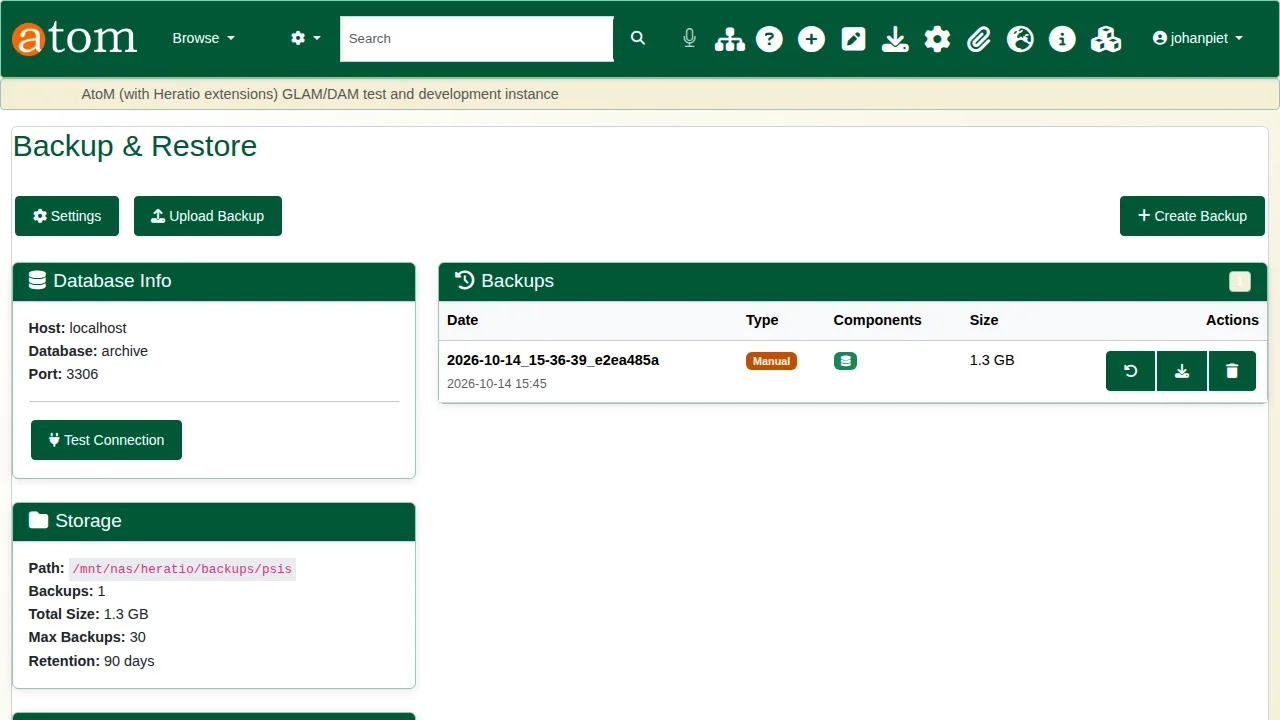
Back up the database and the uploaded files from the administration screens, on a schedule, and restore from them when needed.
- One-off and scheduled backups, with retention so old ones are removed.
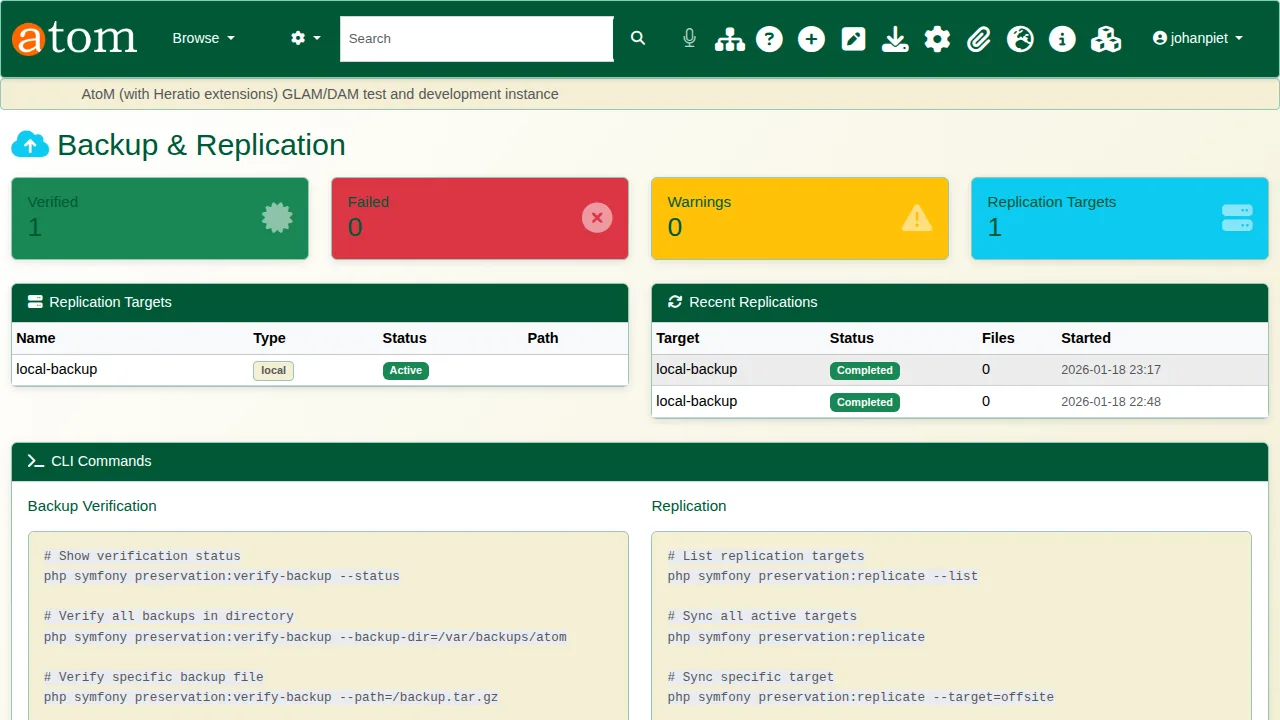
- A check that a backup file is complete, which runs again before every restore.
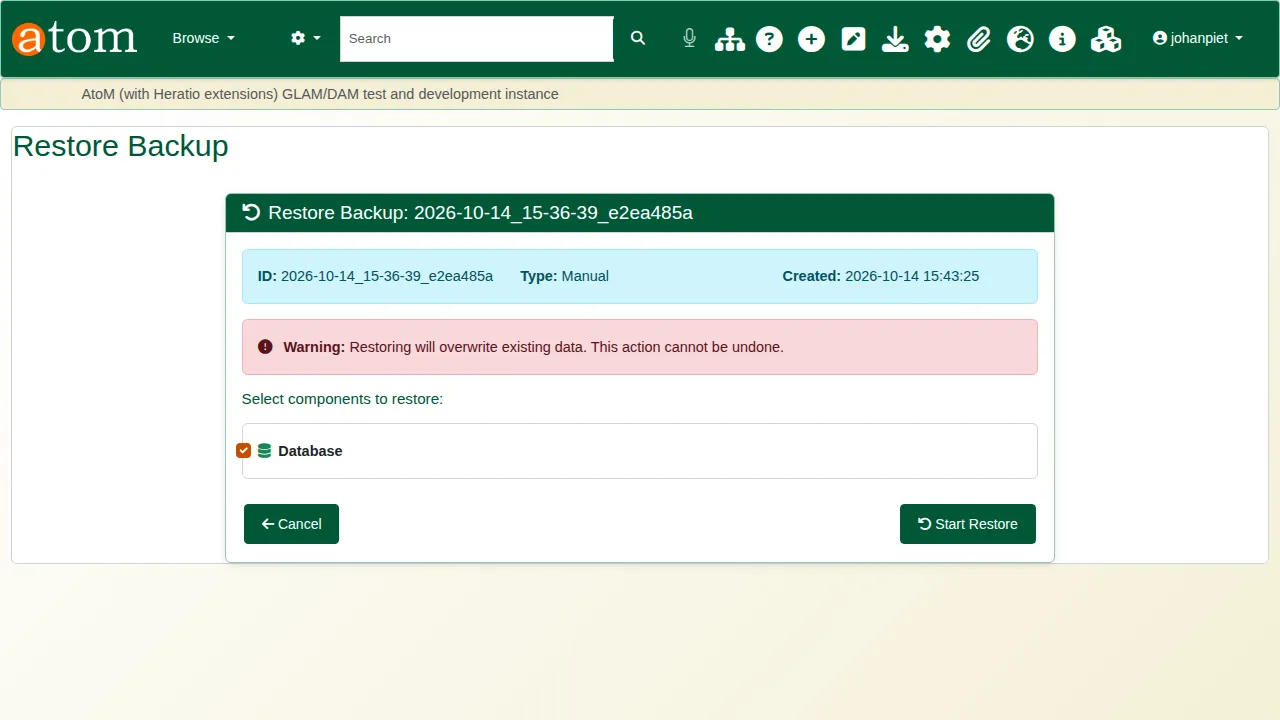
- Restore from the list, or from a backup file you upload; it runs in the background and shows its progress.
Limits
A restore replaces the current database, so practise on a staging copy first. Backups are written where the backup path points: keep a copy off the server as well.
Training guide: Preservation, part 3 - backup and restore.
Requirements
| Component | Version |
|---|---|
| atom framework | >=1.0.0 |
| atom | >=2.8 |
| php | >=8.1 |
Installation
Download the bundle and the runtime from the downloads page, then follow the bundle's INSTALL.md. In short, from the AtoM root, after a backup and on a staging copy first:
unzip ahgRuntimePlugin-<version>.zip -d plugins/
unzip ahgBackupPlugin-<version>.zip -d plugins/
php plugins/ahgBackupPlugin/bin/install-plugin-schema.php \
    --database=<database> --user=<user> --password=<password>
Then enable it in Admin > Plugins, clear the cache and reload PHP.
Try it
This feature is for signed-in staff, so it is not open on the public demo.
Source and README on GitHub · Questions: support@theahg.co.za or WhatsApp