Home / Plugins / Privacy Compliance Management
Privacy Compliance Management
POPIA/GDPR Privacy Compliance Management - DSAR tracking, Breach register, ROPA, Consent management
Part of the Rights, Privacy & Security capability. Watch the walkthrough.
| Category | Compliance |
|---|---|
| Package | ahgPrivacyPlugin |
| Version | 1.1.14 |
| Status | Installs from source. Clean-database install not yet verified. |
| Requires | Core |
| Works with | Security Clearance |
| External services | Can use, when installed: Cantaloupe IIIF image server, AHG AI gateway, LibreOffice |
| Licence | AGPL-3.0-or-later |
| Install | From the source repository: see Installation below. No packaged download yet. |
What it is for
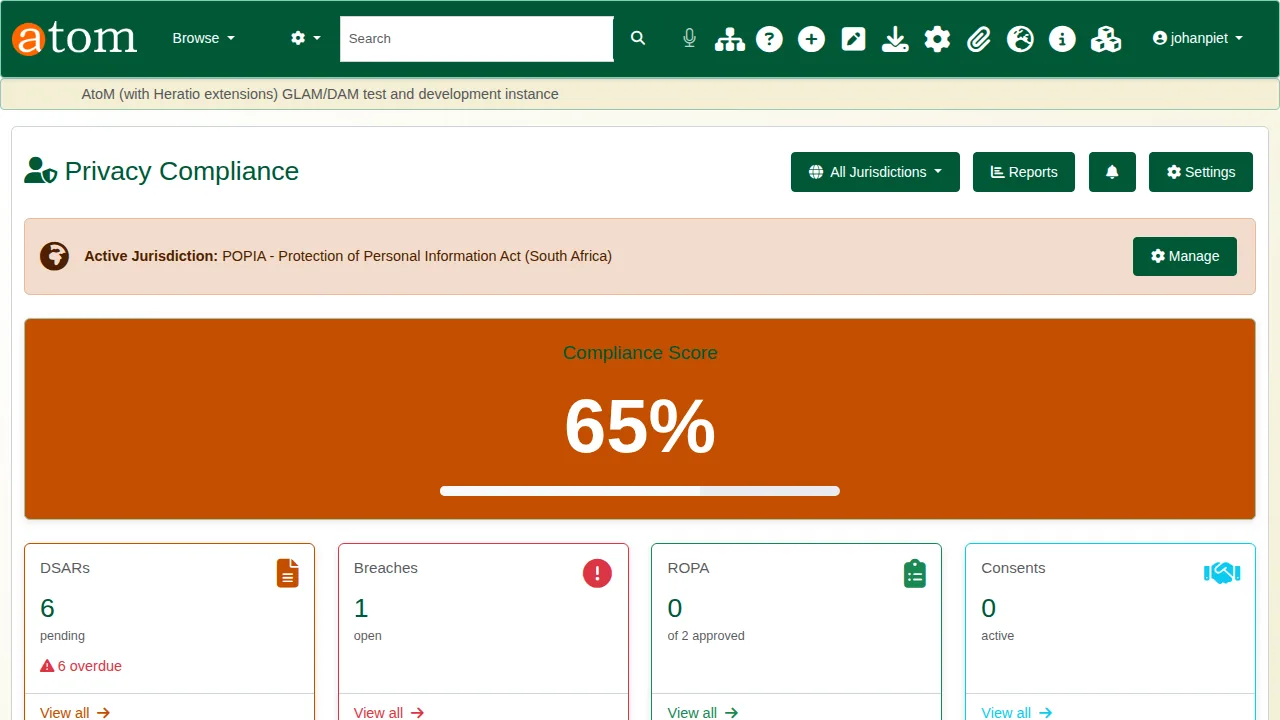
Run a privacy programme inside the catalogue: the registers a data protection officer keeps, next to the records they concern. Built around South Africa's POPIA, with settings for other privacy laws such as GDPR.
- Record of processing activities (ROPA).
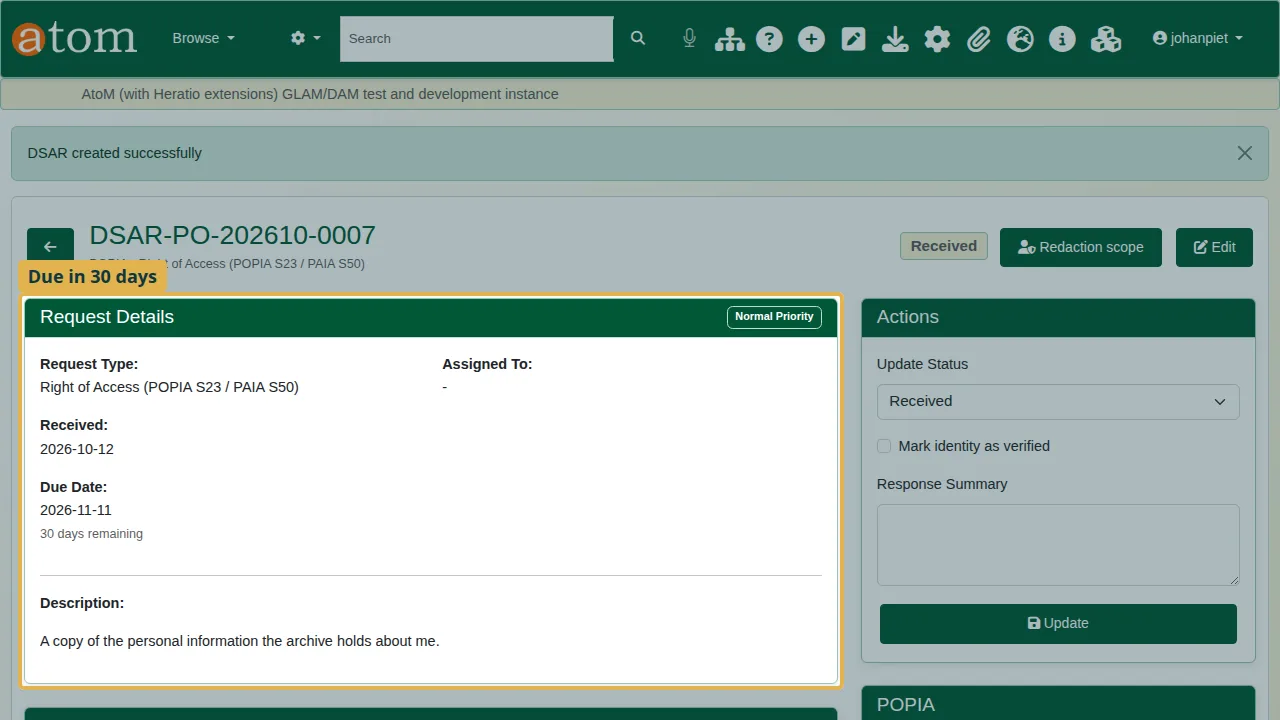
- Data subject access requests, with deadlines and outcomes.
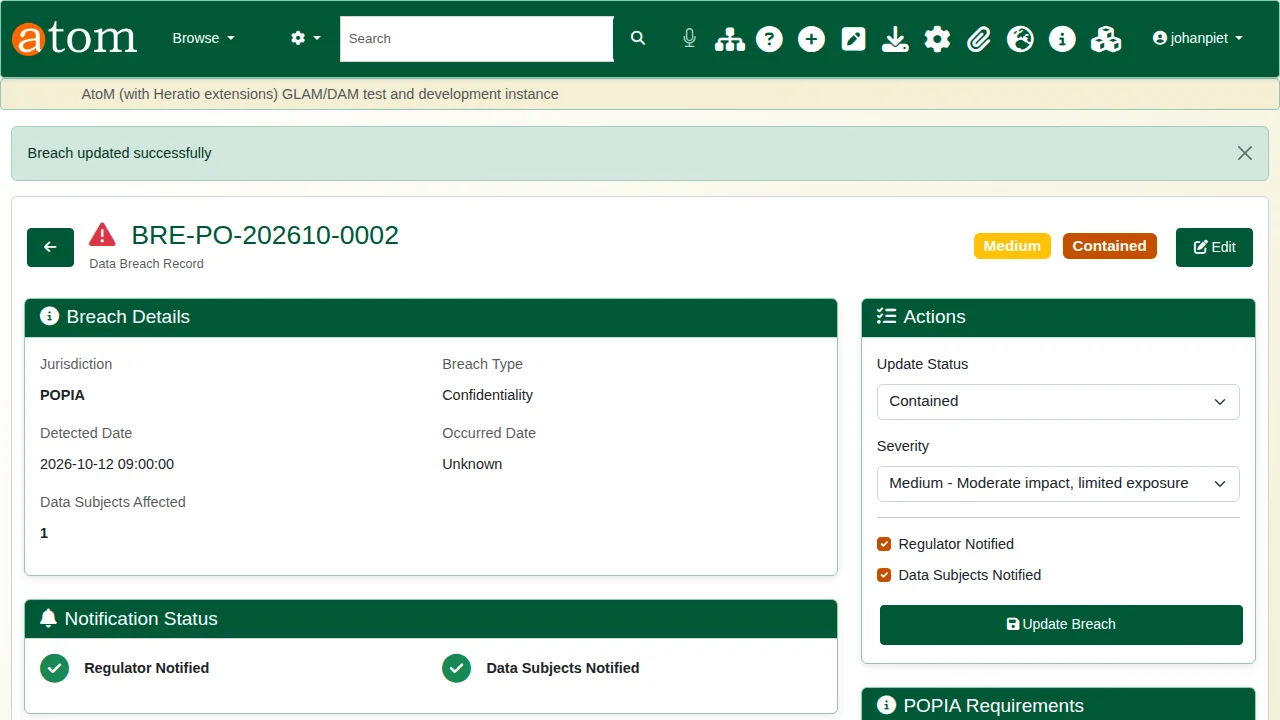
- A breach register.
- Consent records.
- A scan of descriptions for personal information, with a person deciding what is redacted before anything changes.
Limits
It supports the work of meeting privacy obligations; it does not certify compliance, and it does not replace legal advice. The personal-information scan suggests; a person decides.
Training guide: Compliance, part 1 - the POPIA programme.
Requirements
| Component | Version |
|---|---|
| atom framework | >=1.0.0 |
| atom | >=2.8 |
| php | >=8.1 |
Installation
This plugin requires atom-framework. It is not optional: the framework provides AhgController, AtomFramework\* and the routing and settings services that this plugin builds on.
# 1. Fetch into the AtoM plugins directory as a REAL DIRECTORY.
#    A symlink fails the prefix test in pluginsAction.class.php and the
#    plugin is then invisible in the stock admin UI with no error shown.
cd <atom-root>/plugins
git clone --depth 1 --filter=blob:none --sparse \
    https://github.com/ArchiveHeritageGroup/atom-ahg-plugins.git tmp-fetch
cd tmp-fetch && git sparse-checkout set ahgPrivacyPlugin && cd ..
mv tmp-fetch/ahgPrivacyPlugin ./ahgPrivacyPlugin && rm -rf tmp-fetch

# 2. Apply the schema with the framework's installer. It stops on the first
#    error, reports it, and checks every declared table exists. Never use a
#    plain `mysql < install.sql`: it can stop half way without saying so.
cd <atom-root>
php atom-framework/bin/install-plugin-schema.php \
    --database=<database> --user=<user> --password=<password> --plugin=ahgPrivacyPlugin

# 3. Enable it, then clear the cache and reload PHP-FPM.
cd <atom-root>
php symfony cc
sudo systemctl reload php8.3-fpm
Enabling differs by instance shape. Check which list governs:
grep -c 'loadPluginsFromDatabase' <atom-root>/config/ProjectConfiguration.class.php0(stock AtoM): plugins load from the serialisedpluginsrow insetting_i18n. Theatom_plugintable is inert and the admin screen can show a plugin as enabled that does not load.1or more (AHG):atom_pluginis the source of truth.
Verify against whichever list governs, not against the admin screen.
Try it
This feature is for signed-in staff, so it is not open on the public demo. Watch the walkthrough instead.
Source and README on GitHub · Questions: support@theahg.co.za or WhatsApp