Home / Plugins / Records in Context (RiC) Cataloguing
Records in Context (RiC) Cataloguing
Adds Records in Context (RiC-O) as a selectable descriptive standard. A record captured as RiC keeps its RiC-O entity type, record-centric RiC properties, and typed RiC relations, all sourced from MySQL. Record-centric now, extensible to further RiC entity types later.
Part of the Records in Contexts & Graph Discovery capability. Watch the walkthrough.
| Category | Metadata |
|---|---|
| Package | ahgRicManagePlugin |
| Version | 1.0.0 |
| Status | Installs from source. Clean-database install not yet verified. |
| Requires | Core |
| Works with | RiC Explorer |
| Licence | AGPL-3.0-or-later |
| Install | From the source repository: see Installation below. No packaged download yet. |
What it is for
Describe records with Records in Contexts (RiC), the International Council on Archives' model, alongside the standards AtoM already offers. A record described this way keeps its RiC entity type, its RiC properties and typed relations to other records, agents and activities.
With the RiC Explorer plugin, those relations can be browsed as a graph, and provenance traced from record to creator and back.
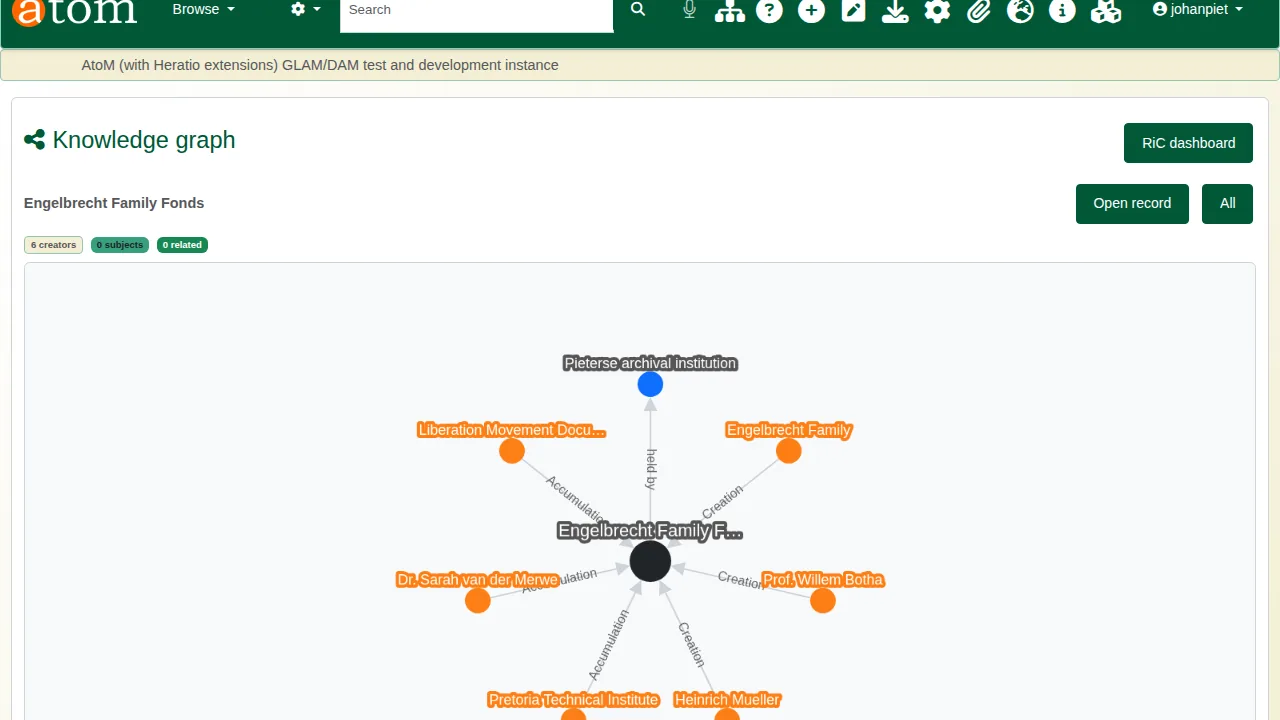
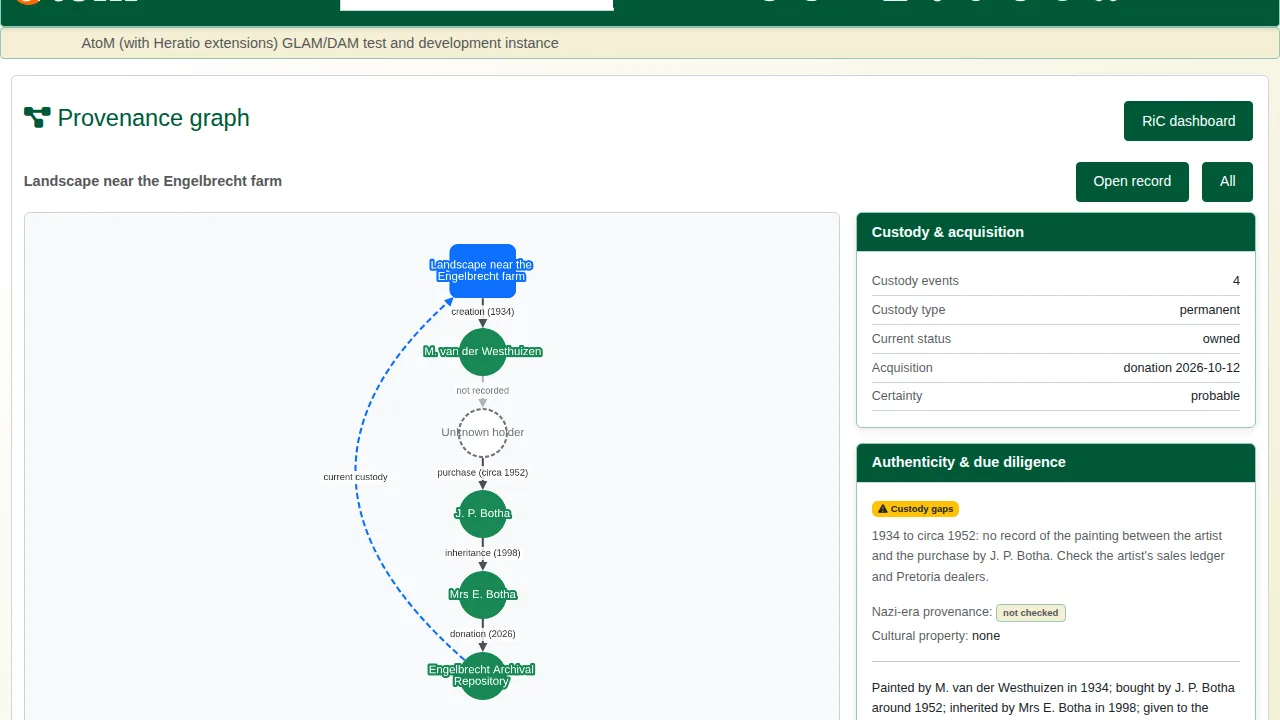
Limits
It is record-centric today: further RiC entity types are planned, not yet built.
Training guide: RiC graph discovery.
Requirements
| Component | Version |
|---|---|
| atom framework | >=1.0.0 |
| atom | >=2.8 |
| php | >=8.1 |
Installation
This plugin requires atom-framework. It is not optional: the framework provides AhgController, AtomFramework\* and the routing and settings services that this plugin builds on.
# 1. Fetch into the AtoM plugins directory as a REAL DIRECTORY.
#    A symlink fails the prefix test in pluginsAction.class.php and the
#    plugin is then invisible in the stock admin UI with no error shown.
cd <atom-root>/plugins
git clone --depth 1 --filter=blob:none --sparse \
    https://github.com/ArchiveHeritageGroup/atom-ahg-plugins.git tmp-fetch
cd tmp-fetch && git sparse-checkout set ahgRicManagePlugin && cd ..
mv tmp-fetch/ahgRicManagePlugin ./ahgRicManagePlugin && rm -rf tmp-fetch

# 2. Apply the schema with the framework's installer. It stops on the first
#    error, reports it, and checks every declared table exists. Never use a
#    plain `mysql < install.sql`: it can stop half way without saying so.
cd <atom-root>
php atom-framework/bin/install-plugin-schema.php \
    --database=<database> --user=<user> --password=<password> --plugin=ahgRicManagePlugin

# 3. Enable it, then clear the cache and reload PHP-FPM.
cd <atom-root>
php symfony cc
sudo systemctl reload php8.3-fpm
Enabling differs by instance shape. Check which list governs:
grep -c 'loadPluginsFromDatabase' <atom-root>/config/ProjectConfiguration.class.php0(stock AtoM): plugins load from the serialisedpluginsrow insetting_i18n. Theatom_plugintable is inert and the admin screen can show a plugin as enabled that does not load.1or more (AHG):atom_pluginis the source of truth.
Verify against whichever list governs, not against the admin screen.
Try it
This feature is for signed-in staff, so it is not open on the public demo. Watch the walkthrough instead.
Source and README on GitHub · Questions: support@theahg.co.za or WhatsApp